Shopping cart (0)
Shopping cart is empty.
Shopping cart is empty.


Alpine is now making available the third-generation equipment for the Mercedes Benz Vito (V447). The X903D-V447 features a giant 9″ touchscreen that extends from the dashboard, offering easy and pleasant control while driving. You can use navigation and other functions without unnecessary reaching, and the dashboard storage compartment also remains accessible.
The X903D-V447 includes iGo Primo NextGen navigation with TomTom maps, which comes with three years of free map updates. The navigation menus are in Finnish, and the voice guidance is also in clear Finnish (you can also change the language to, for example, Swedish or English).
In addition to built-in navigation, Android Auto* or Apple CarPlay navigation also works through the player.
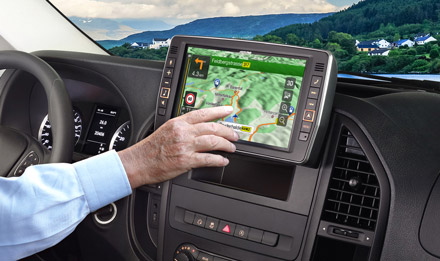
Easy to use
Ease of use is one of the most important factors when spending a lot of time in the car and using the player during travel. Alpine Style also means considering ergonomics, in addition to stylish integration. The display is at a suitable distance from the dashboard, so the touchscreen can be used without stretching. The physical buttons around the screen also enhance user comfort and improve traffic safety.
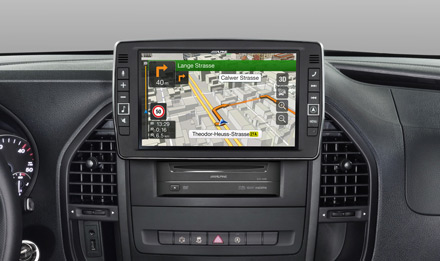
Giant 9″ screen
The first thing that catches the eye is the large 23cm screen – in fact, the screen is the same size as, for example, an Apple iPad. Navigation instructions, phone numbers, and texts are very easy to read on the large screen while driving. The virtual buttons on the screen are also large, so pressing them while driving takes your eyes off the road for the shortest possible time.
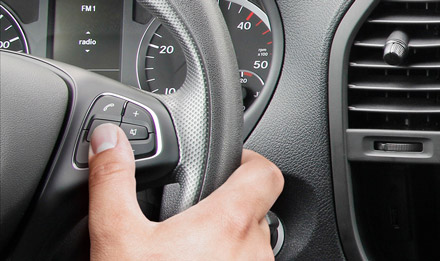
Original steering wheel controls
If your car is equipped with steering wheel controls, these also work with the X903D-V447. You can perform basic functions without removing your hands from the steering wheel, such as muting the player, changing the program source or radio station, adjusting the volume, etc.
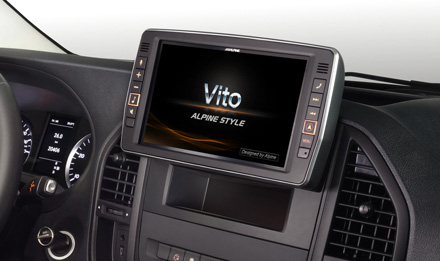
Beautiful to look at
Premium cars need a Premium player. The X903D-V447 fits perfectly into the Mercedes dashboard, and the player "floats" in front of the dashboard. The player's microphone is also integrated into the display, so it doesn't appear as "extra" in your field of vision either.
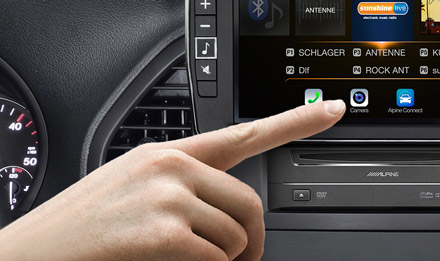
Easy camera control
The image from the rear-view camera (optional) automatically appears on the screen when reverse gear is engaged. But if you want to look behind you while driving, this can be easily done using the Camera button on the screen.
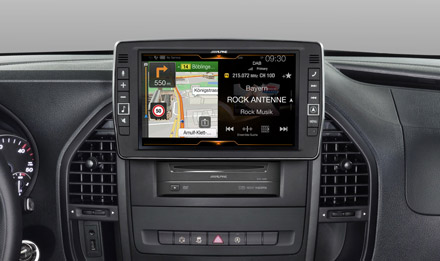
OneLook display
Alpine's innovative OneLook display divides the screen in half. You can see navigation information and audio information at a glance. This means that selecting different views does not require jumping between different menus. You can switch from OneLook mode to full screen mode with a single swipe.
The best navigation on the market?
iGo Primo NextGen navigation is one of the market's navigation software. The X903D-V447 has a more powerful processor and larger memory capacity than its predecessor, so navigation now works even faster and more accurately. The X903D-V447's map can now also be zoomed in and out by "pinching".
Hundreds of thousands of POI destinations make setting a destination easy, and in larger cities, 3D icons of buildings appear on the map, making it even easier to stay on route.
Navigation in a nutshell:
TomTom maps, with three years of free updates
The most important aspect of navigation is its map database. The Alpine X903D-V447 includes maps for 48 countries, provided by TomTom. You can update the maps for free for three years via alpine.naviextras.com. After the free map updates, updates can be purchased for a fee through the same site.

GPS and Glonass positioning
The more satellites available, the faster the vehicle's location is updated on the map and the more accurate the navigation. Alpine uses Glonass positioning in addition to GPS positioning, which is especially helpful when traditional GPS reception may weaken (e.g., near tall buildings or in mountainous areas).
POI destinations
You can search for POI destinations by POI category, distance, or for example, by name. This makes it easier to find a suitable hotel, restaurant, gas station, or other interesting destination.
Many destinations also have phone numbers displayed, so you can call directly from the list if needed.
3D maps and speed information
You can view the map in 3D format, and for most major European cities, outlines of buildings and landmarks are also visible on the map. Speed limits and speed camera information can also be displayed on the screen if needed.
Lane guidance
Clear lane guidance makes it easier to get into position at intersections in advance.
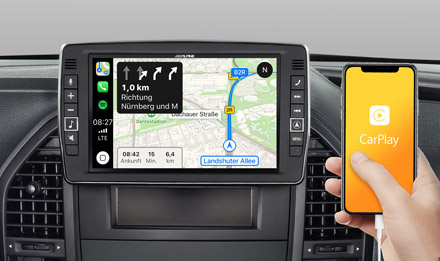
Apple CarPlay online navigation
If you wish, you can use Apple CarPlay navigation, which provides guidance and directs you to your destination. Large icons make it easier to follow navigation, and you can easily access Apple navigation by double-pressing the player's Navi button.
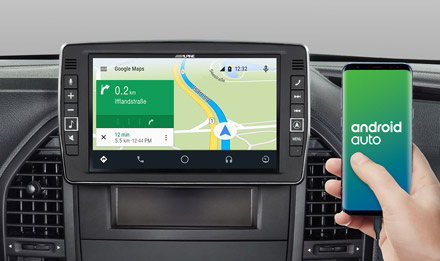
Android Auto online navigation
Let Google Maps take you there. Android Auto* allows you to use Google Maps, which takes into account real-time traffic information, provides lane guidance, and clearly tells you where to turn.
Note: Android Auto is not available in the Google Play Store, so the application must be installed by other means.
Entertainment on the big screen
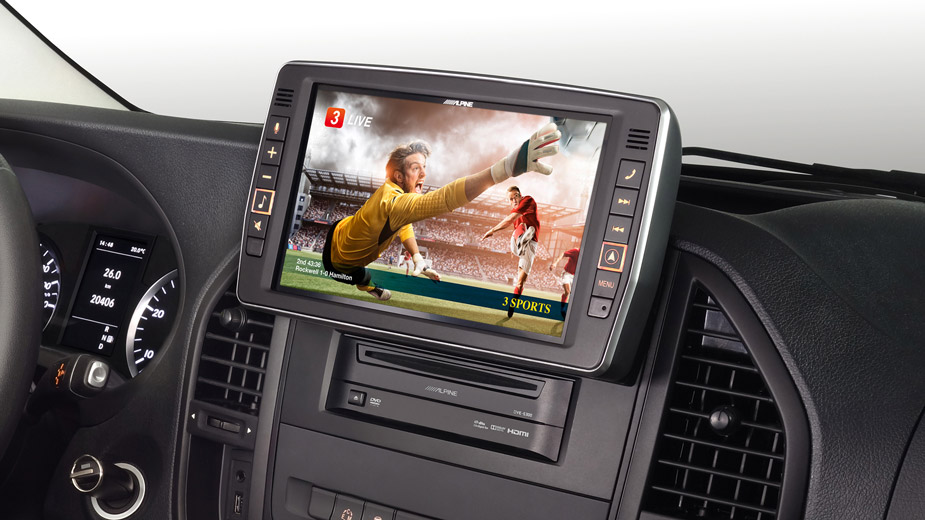
Whatever you want to watch, it can invariably be done with Alpine. You can connect an optional digital TV tuner, play video files from a USB stick, the HDMI input allows connecting a portable device, or you can get an Alpine DVD player connectable to the HDMI port (shown installed under the screen). For traffic safety reasons, video files can only be watched when the car is stationary.
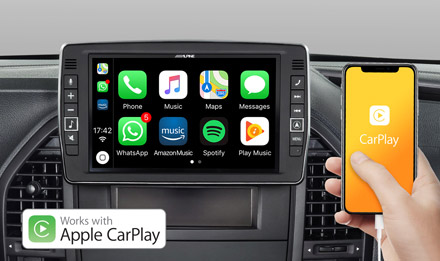
Apple CarPlay
Apple CarPlay brings additional features to iPhone users. You can use Spotify, listen to internet radios or podcasts, and manage calls directly from Alpine's touchscreen.
Just connect your Apple device with a USB cable, and all CarPlay functions are available.
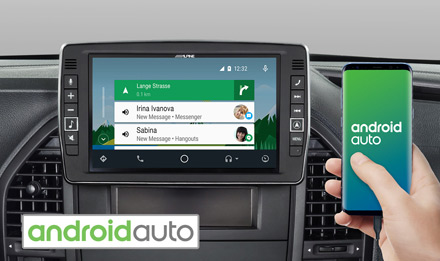
Android Auto
A simple and straightforward user interface keeps your eyes on the road, and using phone functions is really easy. Android Auto* automatically brings all the most interesting information to the player's screen and organizes it into cards on the display.
Note: Android Auto is not available in the Google Play Store, so the application must be installed by other means.
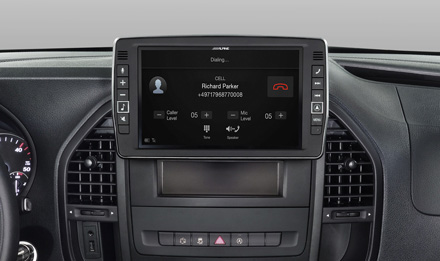
Bluetooth
Built-in Bluetooth creates a wireless connection between your phone and your player. A logical user interface, call management, wireless music playback, and all of these are directly accessible from the touchscreen.
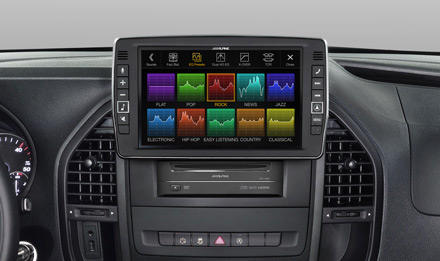
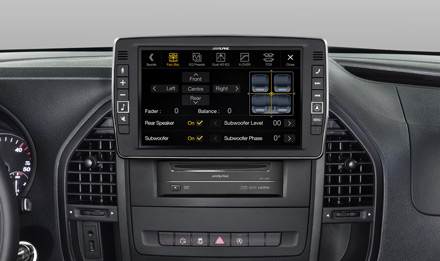
Alpine sound quality
Alpine is globally renowned for the best sound quality on the market. You have access to time correction, equalizers, crossovers, and numerous other sound adjustment features to tailor the sound to your exact taste.
The player naturally also has three pairs of line outputs. Requires a KTX-PRE1 cable, so adding a separate subwoofer and amplifiers is possible.
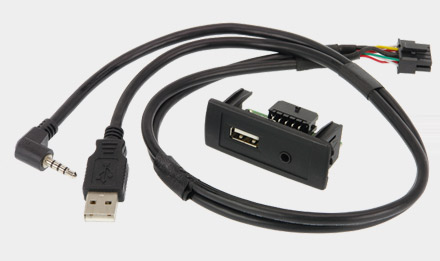
USB and AuxIn in the dashboard.
The X903D-V447 comes with an Aux- / USB adapter that allows the car's original USB and Aux inputs to be used with the Alpine. Both connections also function as image inputs in addition to audio.
Accessory highlights
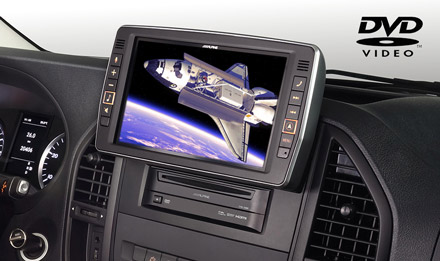
DVD player
As an optional extra, you can purchase the DVE-5300 DVD player for the X903D-V447, which is installed below the screen.
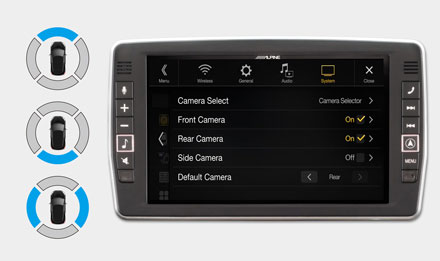
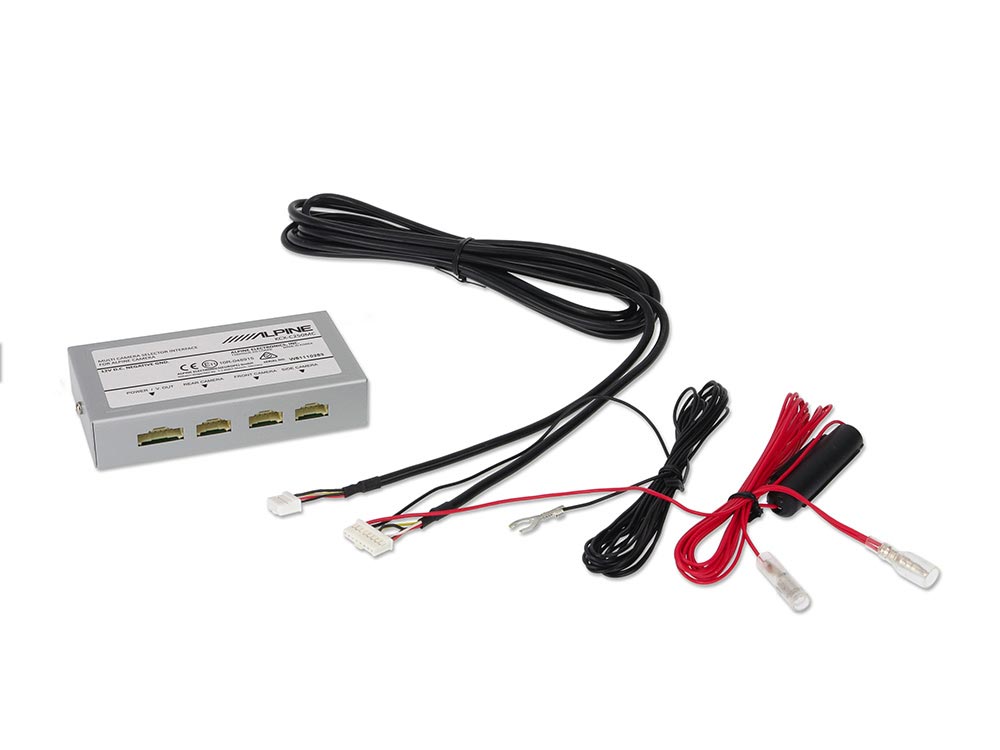
Connect up to three cameras!
The optional KCX-C250MC allows connecting up to three cameras to the player. Camera control is done via the touchscreen. Alpine offers cameras for the front, rear, and side, and you can also get cameras with a very wide viewing angle, whose viewing angles you can change directly from the Alpine screen.
Connect up to three cameras
KCX-C250MC allows connecting up to three cameras to the player. So you can connect a front camera and a side camera in addition to the traditional rear-view camera.
Rear-view cameras with RCA connector
If your car has, for example, a factory-installed rear-view camera with an RCA connector or you want to install an RCA-connected camera in your car, an AH-CAMA-Alp1 adapter is needed.
Amplifier connection
KTX-PRE1 front, rear, and subwoofer line outputs are sold separately.
Technical specifications:
Radio
RDS
DAB Tuner
BLUETOOTH®
Made for iPod® / iPhone®
Navigation
USB
Sound Tuning
General
Map updates
Installation
DETAILED SPECS
Display
Amplifier
FM radio
USB
GPS
BLUETOOTH®
Sound adjustment
player
